
Mastering AI Portrait Generation with Seedream 5
AI portrait generation has revolutionized how we create character images, profile pictures, and artistic portraits. With Seedream 5's advanced AI models, you can generate photorealistic portraits, anime characters, and stylized art in seconds. From fresh Japanese lifestyle portraits and Tang dynasty-inspired classics to cinematic film looks and battle manga styles, Seedream 5 covers a wide creative range. This guide will teach you everything you need to know to create stunning AI portraits.
Why AI Portrait Generation?
Benefits of AI Portraits
- Speed: Create professional portraits in seconds
- Variety: Generate unlimited variations and styles
- Cost-Effective: No need for expensive photoshoots
- Creative Freedom: Experiment with impossible scenarios
- Consistency: Maintain character appearance across images
Common Use Cases
- Profile pictures for social media
- Character designs for games and stories
- Marketing materials and advertisements
- Book cover illustrations
- Avatar creation for virtual worlds
- Professional headshots
- Artistic portraits and collections
Understanding Portrait Styles
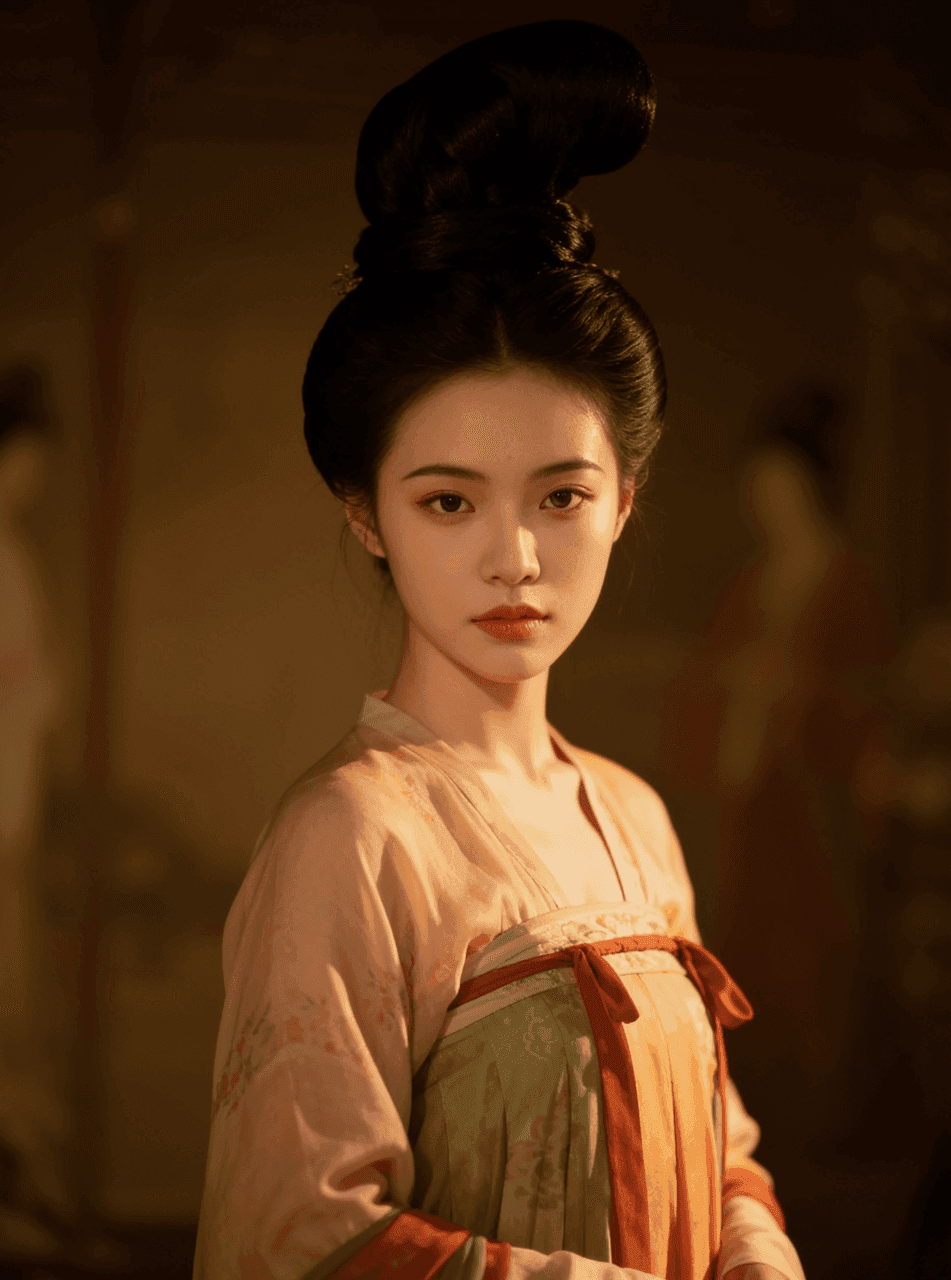
1. Photorealistic Portraits
Best for: Professional headshots, realistic character designs, marketing
Key characteristics:
- Natural skin textures and lighting
- Realistic hair and eye details
- Professional photography quality
- Authentic expressions and poses
Example prompt:
Professional headshot of a confident woman in her 30s, wearing business attire,
soft studio lighting, neutral gray background, sharp focus on eyes,
natural makeup, warm smile, photorealistic, high resolution, 85mm lens effect
2. Anime/Manga Style
Best for: Character designs, fan art, social media avatars
Key characteristics:
- Large expressive eyes
- Stylized hair with vibrant colors
- Smooth cel-shaded appearance
- Dynamic poses and expressions
Example prompt:
Battle manga heroine with long flowing silver hair, bright blue eyes, determined smile,
wearing an elegant dress, cherry blossoms in the background, soft lighting,
dynamic shonen manga style, high quality illustration, vibrant colors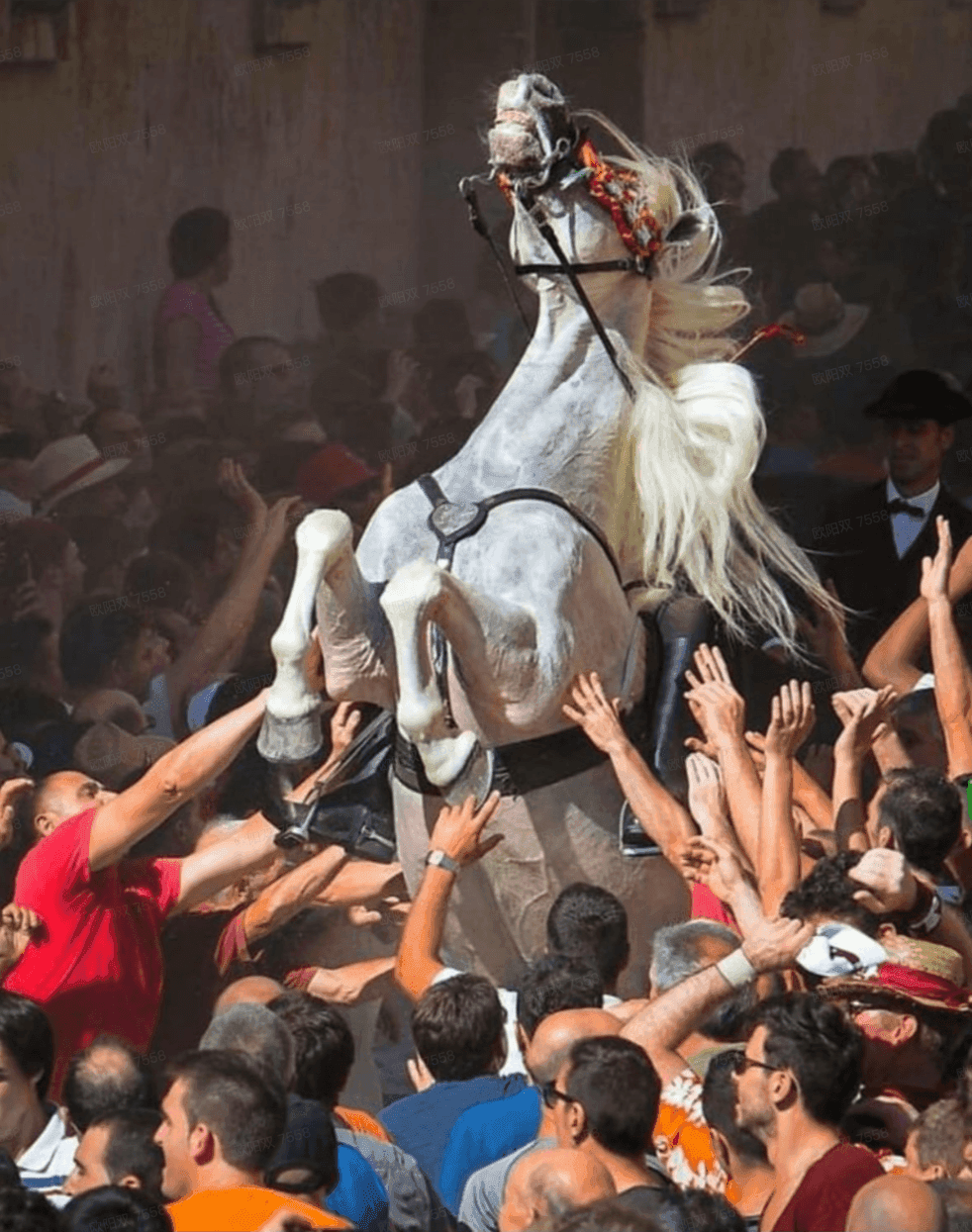
3. Digital Art/Illustration
Best for: Creative projects, book covers, artistic portfolios
Key characteristics:
- Painterly textures
- Artistic interpretation
- Creative color palettes
- Stylized features
Example prompt:
Digital art portrait of a mysterious woman, flowing red hair, piercing green eyes,
dramatic lighting, fantasy art style, detailed illustration, rich colors,
painterly texture, artistic composition
4. Oil Painting Style
Best for: Classical portraits, fine art, elegant presentations
Key characteristics:
- Traditional painting techniques
- Rich, layered colors
- Visible brushstrokes
- Classical composition
Example prompt:
Oil painting portrait in the style of Renaissance masters, elegant woman
with pearl necklace, soft chiaroscuro lighting, rich warm tones,
classical composition, museum quality, detailed brushwork
Step-by-Step Portrait Creation
Step 1: Define Your Subject
Physical Characteristics
- Age: Child, teenager, young adult, middle-aged, elderly
- Gender: Male, female, non-binary
- Ethnicity: Be specific and respectful
- Hair: Color, length, style, texture
- Eyes: Color, shape, expression
- Facial Features: Shape, distinctive characteristics
- Build: Body type, posture
Example Description:
Young woman, early 20s, East Asian features, long straight black hair,
warm brown eyes, gentle smile, oval face, delicate features
Step 2: Choose Expression and Mood
Common Expressions
- Professional: Confident, approachable, trustworthy
- Friendly: Warm smile, welcoming, cheerful
- Mysterious: Enigmatic gaze, subtle expression
- Dramatic: Intense, emotional, powerful
- Peaceful: Serene, calm, contemplative
Mood Keywords
- Confident, shy, playful, serious, dreamy
- Mysterious, joyful, melancholic, fierce
- Elegant, casual, professional, artistic
Step 3: Set the Lighting
Lighting Styles
Studio Lighting:
Soft studio lighting, three-point lighting setup, professional photography,
even illumination, subtle shadows
Natural Light:
Golden hour sunlight, warm natural lighting, soft window light,
outdoor photography, gentle shadows
Dramatic Lighting:
Dramatic side lighting, chiaroscuro effect, strong contrast,
cinematic lighting, moody atmosphere
Creative Lighting:
Neon lighting, colorful rim light, backlit silhouette,
creative color gels, artistic lighting
Step 4: Design the Background
Background Options
Simple/Professional:
- Solid colors (white, gray, black)
- Gradient backgrounds
- Blurred studio backdrop
Environmental:
- Urban cityscape
- Natural landscapes
- Interior settings
- Fantasy environments
Artistic:
- Abstract patterns
- Bokeh effects
- Painted backgrounds
- Textured surfaces
Background Prompts
Minimal:
Clean white background, professional studio setting, simple and elegantEnvironmental:
Blurred city lights at night, bokeh effect, urban atmosphere,
depth of field, cinematic backgroundFantasy:
Magical forest background, glowing particles, ethereal atmosphere,
fantasy setting, dreamy environment
Step 5: Add Style and Details
Clothing and Accessories
- Business attire, casual wear, fantasy costumes
- Jewelry, glasses, hats, scarves
- Cultural or period-specific clothing
- Armor, uniforms, special outfits
Artistic Details
- Makeup style (natural, dramatic, artistic)
- Hair accessories and styling
- Tattoos or body art
- Special effects (glowing eyes, magical aura)
Advanced Portrait Techniques
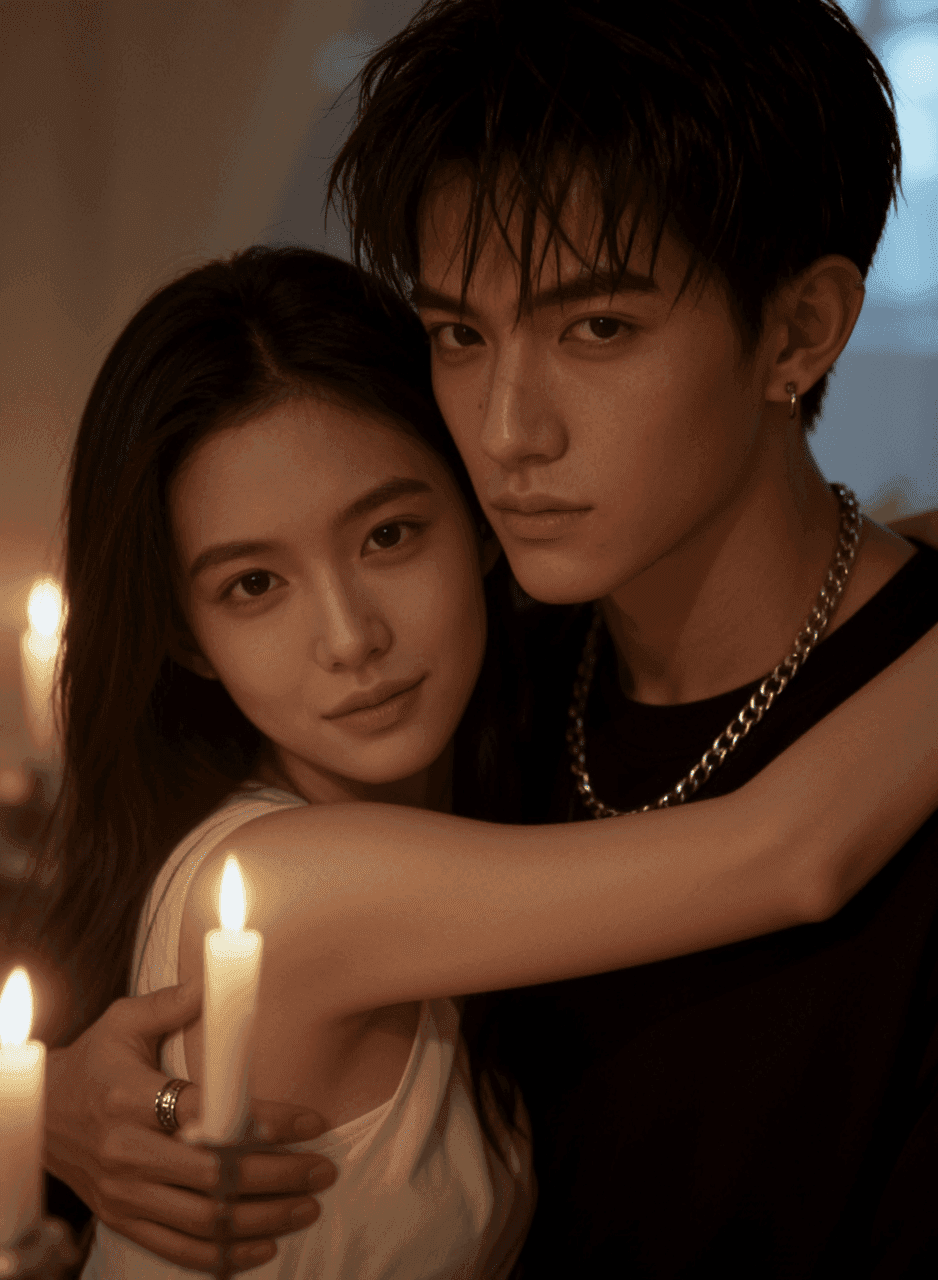
The Tang dynasty-inspired portrait above is a strong baseline for keeping facial structure consistent as you explore new styles.
Creating Character Consistency
Method 1: Detailed Descriptions
Maintain consistency by using identical descriptions:
[Character Name]: Young man, 25 years old, short brown hair with side part,
blue-gray eyes, square jaw, athletic build, 6 feet tall, confident expression
Use this base description in all prompts, then add specific elements:
- "wearing business suit"
- "in casual t-shirt"
- "fantasy armor"
Method 2: Reference Images
Upload a reference image of your character and include in prompt:
[Character description], same person as reference image, consistent features,
[new scenario/clothing/pose]
Method 3: Seed Consistency (Premium)
Use the same seed number to maintain similar features across generations.
Multi-Character Portraits
Creating group portraits or multiple characters:
Group portrait of three friends, diverse group, standing together,
[detailed description of each person], friendly atmosphere,
professional photography, well-composed, even lightingTips:
- Describe each person clearly
- Specify their positions (left, center, right)
- Mention interactions or relationships
- Keep composition balanced
Expression Variations
Create the same character with different expressions:
Base:
Professional woman, 30s, shoulder-length blonde hair, blue eyes,
business attire, studio lightingVariations:
- "+ confident smile, approachable"
- "+ serious expression, focused"
- "+ laughing joyfully, candid moment"
- "+ thoughtful gaze, contemplative"
Portrait Photography Techniques
Camera Angles
Eye Level: Standard, natural perspective
Eye-level portrait, straight-on angle, direct gazeSlightly Above: Flattering, emphasizes eyes
Shot from slightly above, looking up at camera, flattering angleLow Angle: Powerful, dramatic
Low angle shot, looking down at camera, powerful compositionProfile: Artistic, elegant
Side profile, elegant pose, artistic compositionFraming and Composition
Headshot: Face and shoulders
Close-up headshot, face and shoulders, tight framing, sharp focus on eyesBust: Upper body
Bust portrait, upper body visible, professional framingThree-Quarter: Most of body
Three-quarter length portrait, showing most of body, full compositionFull Body: Complete figure
Full body portrait, head to toe, complete figure, environmental contextDepth of Field
Shallow (Blurred Background):
Shallow depth of field, f/1.8, blurred background, subject in sharp focus,
bokeh effect, professional photography
Deep (Everything Sharp):
Deep depth of field, everything in focus, f/8, environmental portrait,
context visible
Common Portrait Challenges
Challenge 1: Unnatural Features
Problem: Distorted faces, wrong proportions, odd expressions
Solutions:
- Add "anatomically correct, natural proportions"
- Use "photorealistic, high quality" for realistic portraits
- Specify "professional photography" for natural results
- Add negative prompts: "distorted, deformed, bad anatomy"
Challenge 2: Inconsistent Lighting
Problem: Conflicting light sources, unnatural shadows
Solutions:
- Be specific about lighting setup
- Mention single light source if needed
- Use professional photography terms
- Add "consistent lighting, professional setup"
Challenge 3: Background Distractions
Problem: Busy or inappropriate backgrounds
Solutions:
- Specify "simple background" or "blurred background"
- Use "shallow depth of field"
- Describe exact background wanted
- Add negative prompt: "cluttered, distracting background"
Challenge 4: Wrong Style Mix
Problem: Conflicting artistic styles in one image
Solutions:
- Be consistent with style keywords
- Don't mix "photorealistic" with "anime"
- Choose one primary style and stick to it
- Use style-specific models in Seedream 5
Professional Portrait Prompts Library
Business Headshots
Professional business headshot, confident [gender] in [age]s,
wearing [attire], soft studio lighting, neutral background,
approachable smile, sharp focus, high resolution, corporate photography
Creative Portraits
Creative portrait of [description], artistic lighting, [style] aesthetic,
unique composition, professional photography, editorial quality,
striking visual, memorable image
Fantasy Characters
Fantasy character portrait, [race/species], [distinctive features],
[clothing/armor], [magical elements], dramatic lighting,
detailed illustration, high fantasy art style, epic composition
Anime Characters
Anime character portrait, [description], [expression], [outfit],
[background], detailed anime art style, vibrant colors,
high quality illustration, professional anime artwork
Vintage/Period Portraits
[Period] style portrait, [description], period-appropriate [clothing],
[era]-style photography, vintage aesthetic, historical accuracy,
classic composition, timeless quality
Post-Processing Tips
Enhancing Your Portraits
- Upscaling: Increase resolution for print quality
- Background Removal: Create transparent backgrounds
- Color Correction: Adjust tones and saturation
- Retouching: Fix minor imperfections
- Style Transfer: Apply artistic filters
Using Seedream 5 Tools
- AI Upscaler: Enhance resolution without quality loss
- Background Remover: Clean isolation of subject
- Style Transfer: Apply new artistic styles
- Inpainting: Fix specific areas
Best Practices Summary
Do's
✅ Write detailed character descriptions ✅ Specify lighting and mood clearly ✅ Choose appropriate style for use case ✅ Use reference images for consistency ✅ Iterate and refine results ✅ Save successful prompts ✅ Experiment with different angles and expressions
Don'ts
❌ Mix conflicting styles ❌ Use vague descriptions ❌ Ignore lighting specifications ❌ Expect perfect results immediately ❌ Forget about background design ❌ Overlook expression and mood ❌ Violate content policies
Inspiration Gallery
Portrait Styles to Try
- Cinematic Portraits: Movie poster style, dramatic lighting
- Editorial Fashion: High-fashion photography, artistic poses
- Character Concept Art: Game/film character designs
- Historical Portraits: Period-accurate costumes and settings
- Surreal Portraits: Artistic, dreamlike, creative interpretations
- Minimalist Portraits: Clean, simple, elegant compositions
- Cyberpunk Characters: Futuristic, neon-lit, tech-enhanced
- Fantasy Races: Elves, dwarves, orcs, unique creatures
Conclusion
Creating stunning AI portraits with Seedream 5 is about understanding the fundamentals of portrait photography and character design, then translating that knowledge into effective prompts. Key takeaways:
- Be Specific: Detailed descriptions yield better results
- Master Lighting: Lighting defines mood and quality
- Choose Style Wisely: Match style to your purpose
- Iterate: Refine through multiple generations
- Study Examples: Learn from successful portraits
- Practice Regularly: Improve with experience
Start Creating Your Portraits
Ready to create stunning AI portraits? Start generating with Seedream 5 and bring your characters to life!
Need help or want to share your portraits? Join our Discord community or email [email protected].
Related Articles: